


Creating a strong user experience (UX) requires both technical skill and thoughtful visual design. As digital products grow more complex, the relationship between front-end developers and graphic designers becomes even more important.
Their skill sets are different, yet closely connected. When they collaborate early, they create interfaces that are both functional and visually engaging. This partnership allows teams to build cohesive, user-friendly products that work across devices and platforms.

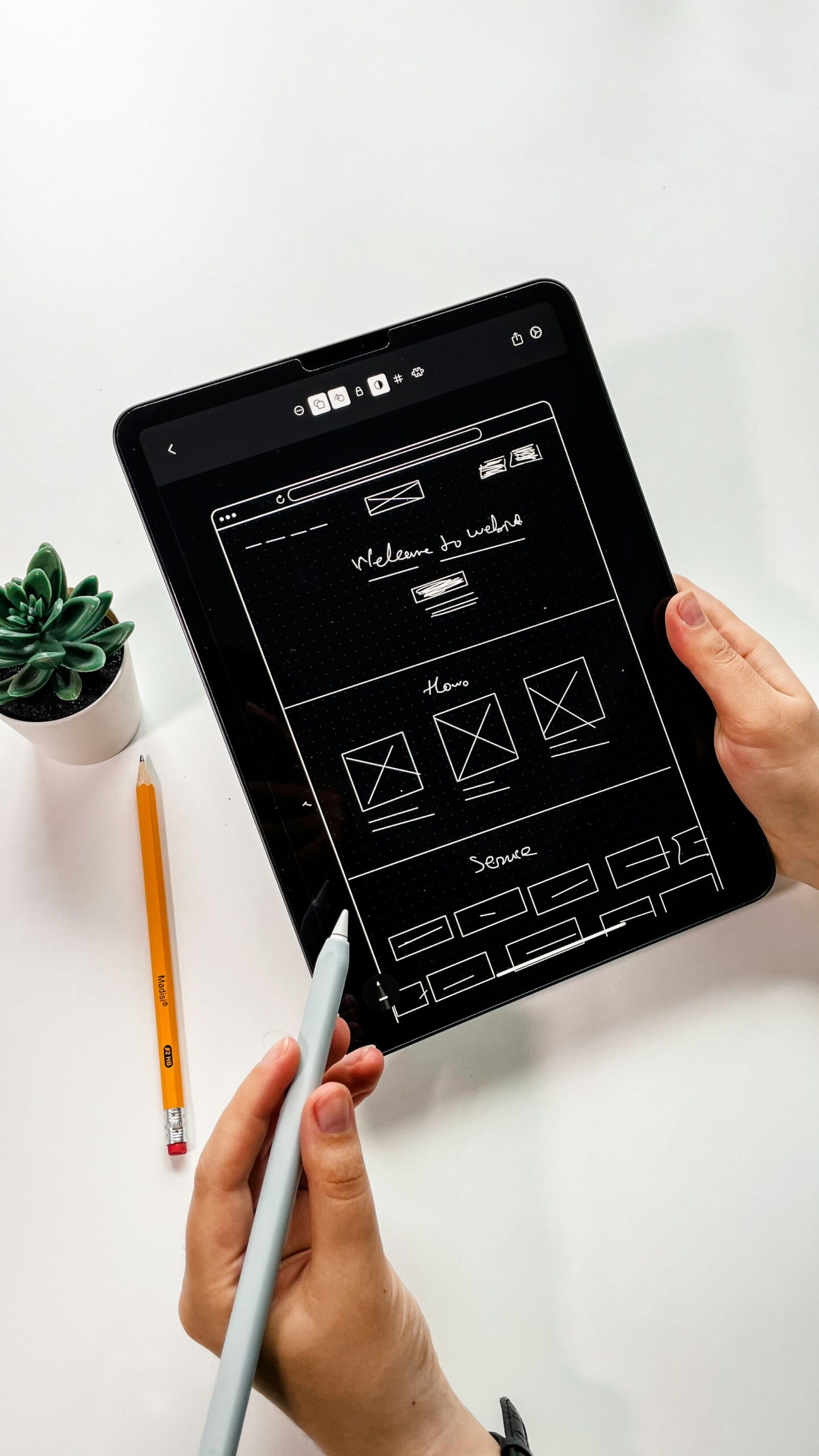
IMAGE: UNSPLASH
The Role Of Front-End Developers
Front-end developers bring design concepts to life. They translate static layouts into interactive screens using HTML, CSS, and JavaScript. Their job is to ensure pages load fast and respond well to user actions. Many companies now choose to hire front-end developers when they need experts who understand frameworks, performance optimization, and accessibility standards.
Front-end developers also face various constraints. They work within browser limits, code structures, and device variations. This makes communication with designers essential. A strong front-end developer knows what is technically possible and how to adjust a design so it works well in real-world conditions.
The Role Of Graphic Designers In UI/UX
Graphic designers shape the visual direction of a product. They define colors, typography, iconography, and layout patterns that reflect the brand. When companies choose to hire graphic designer talent, they gain access to professionals who understand how visuals guide user behavior. Whether designing a landing page, dashboard, or mobile layout, graphic designers focus on clarity and usability.
A graphic designer also uses design fundamentals like contrast, alignment, and spacing to improve overall readability. Their work ensures users maintain a sense of comfort as they navigate a product. For companies building or refining interfaces, many also prefer to hire a full-time graphic designer to maintain consistency across all touchpoints.
Why Collaboration Is Essential
Bridging The Gap Between Aesthetics And Functionality
Designers create visually compelling concepts, but developers make those concepts interactive. If they work separately, the end result often feels disconnected. Close collaboration helps designers understand technical realities and helps developers understand the intention behind every visual choice.
Improving Workflow Efficiency
Shared tools and early feedback help prevent rework. When teams discuss components before development begins, it becomes easier to plan reusable patterns. This is one reason many organizations now choose to hire front-end web developer specialists who can work directly with designers during the early stages. With smoother communication, both sides reduce revisions and speed up delivery.
Achieving Consistent Branding
Brands rely on consistency. A mismatch in spacing, colors, or typography weakens user trust. Designers set brand rules, but developers enforce them through code. Working together ensures the brand stays consistent across web apps, mobile screens, and marketing sites.
Enhancing User Experience
Designers focus on clarity, while developers focus on usability. When they solve problems together, users enjoy a smoother flow. Every button, animation, or layout adjustment benefits from two perspectives. Collaboration helps teams create interfaces that support user needs instead of just looking good.
Key Areas Where Designers And Developers Work Together
- Layout and Structure: Developers implement the designers’ structural plans, often adjusting spacing or layout to ensure the product is responsive across different screen sizes while maintaining the intended look.
- Typography and Color Systems: They collaborate to ensure color contrast meets accessibility guidelines (like WCAG) and that text remains consistent and readable throughout the product.
- Iconography and Visual Assets: Designers create assets, and developers ensure they are correctly optimized (e.g., using SVGs for scalability or compressing images) to load quickly without losing quality.
- Interaction Design and Micro-Animations: Designers plan the timing and style of subtle motions (like button hovers or page transitions), while developers implement them using CSS or JavaScript for enhanced usability.
Tools That Boost Collaboration
Modern teams rely on tools that make collaboration easier:
- Design Tools: Figma, Adobe XD, or Sketch allow designers to share layouts and interactive prototypes.
- Development Tools: GitHub, VS Code, and Storybook help developers build and document components.
- Communication & Project Management: Notion, Jira, Asana, or Slack help teams align priorities and track progress.
When both designers and developers use shared tools, misunderstandings decrease, and productivity improves.
Best Practices For Effective Collaboration
- Early Involvement: Developers should join design discussions early. Their input helps designers create layouts that align with technical realities, reducing time spent adjusting features later.
- Shared Design System: A shared design system (often stored in a tool like Storybook) converts visual rules into reusable, documented code components, forming the foundation for scalable, long-term development.
- Regular Syncs: Weekly or bi-weekly meetings help both sides stay aligned and address challenges before they affect deadlines.
- Component-Based Thinking: Using approaches like Atomic Design helps teams break interfaces into manageable pieces, making them easier to design, code, and maintain.
- Clear Documentation: Documented styles, components, and interaction rules minimize inconsistencies and speed up onboarding for new team members.
Real-World Examples
Many products show clear improvement when designers and developers collaborate. E-commerce stores often achieve higher conversion rates when both teams refine navigation and checkout flows together. SaaS dashboards become more intuitive when motion design, layout, and responsive behavior are planned jointly.
Teams that work in silos often experience issues like broken layouts, mismatched styles, or confusing interactions. Collaborative teams create smoother experiences for example, a developer might simplify a complex interaction proposed by a designer while maintaining the intended effect. This kind of dialogue reduces friction and strengthens the final result.
Conclusion
Front-end developers and graphic designers each bring essential skills to the creation of modern user experiences. When they collaborate closely, they merge creativity with technical precision.
This partnership leads to stronger products, more consistent branding, and happier users. Whether you plan to hire front-end developers, bring on a design specialist, or build a full design–development team, encouraging collaboration will always lead to better UI/UX outcomes.
COMMENTS