


There is a simple shock to the idea that a mainstream smartphone can be converted from a surveillance platform into a privacy tool. GrapheneOS does not flirt with that idea. It treats it as engineering discipline.
The real significance here is not that GrapheneOS is anti-Google. What actually determines whether it matters is how willing you are to trade convenience, app access, and device choice for a dramatically tighter control over data flows. Put another way, GrapheneOS converts commodity Pixel hardware into a privacy sandbox, and that conversion succeeds only within certain boundaries.
That boundary is the early insight this article surfaces: GrapheneOS makes privacy practical in the hands of ordinary users, but it only becomes practical when you accept two classes of tradeoffs.
First, the phone will be functionally leaner and require configuration. Second, your hardware choices are constrained by the project support list.
These are not abstract warnings. They are the conditions that define the experience, and they shape everything from what apps will run to how often you will need to tinker. That tension between promise and boundary is what makes GrapheneOS interesting, not broken.
What GrapheneOS Is And How It Differs From Stock Android
GrapheneOS is a privacy-focused, full Android build based on AOSP that applies system-level hardening and security-focused changes. Unlike a launcher or skin, it replaces the system image on supported Pixel models and treats components such as Play services as optional, sandboxed pieces of the platform.
AOSP Foundation
GrapheneOS is a full Android build based on AOSP, the Android Open Source Project. That means it starts from the upstream Android code, then applies security-focused changes and hardening across the operating system. It is not a launcher skin or a compatibility layer. It is an operating system that you flash onto supported phones.
Sandboxed Google Play Services
One of the clearest design choices is how GrapheneOS treats Google Play services. Play services are still available to users who need them, but they are not part of the default image. When installed they run in a dedicated sandbox rather than being granted system-level privileges. That architectural choice changes the privacy calculus of many apps because it lets you decide exactly which data that sandbox can access.
That matters because on stock Android Play services often have broad, implicit access to telemetry, location, accounts, and other signals. In GrapheneOS those permissions are explicit and constrained. The ability to surgically allow only what you choose is the core privacy lever.
Installing GrapheneOS On A Pixel
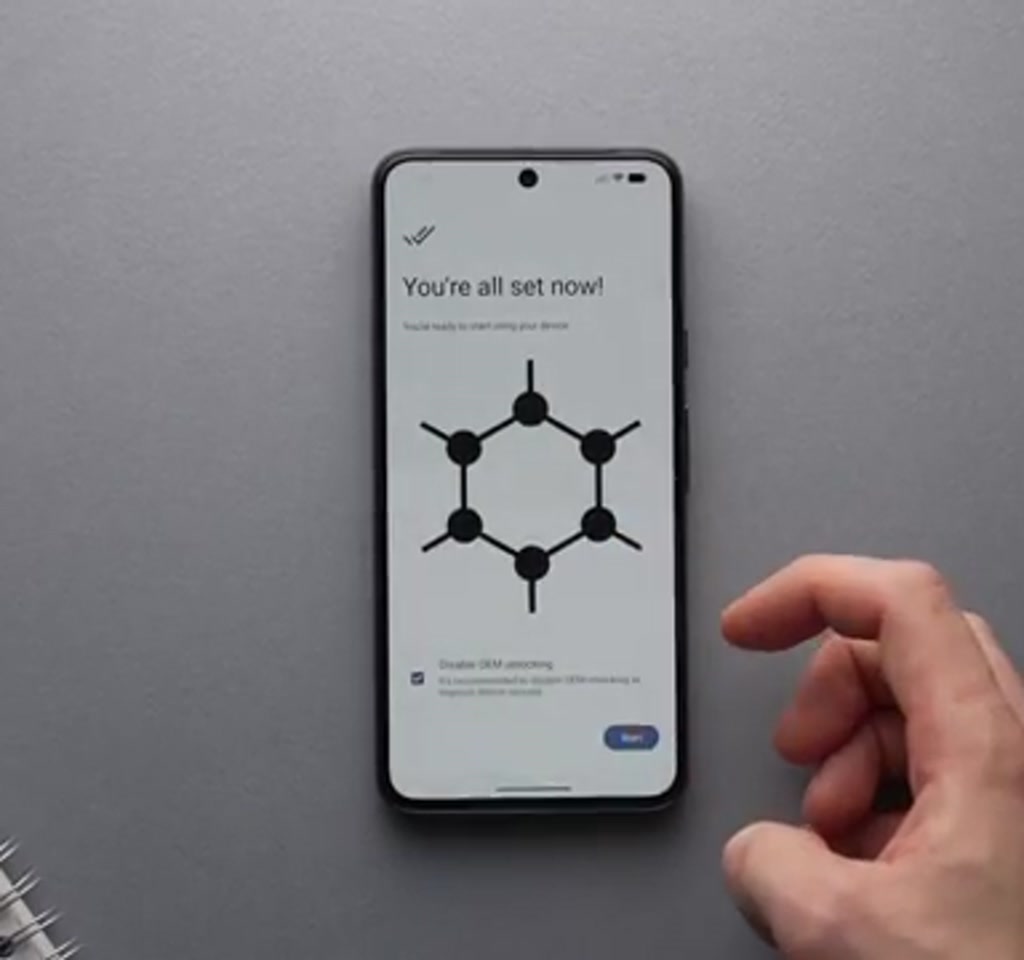
Installation is deliberately hands-on: enable OEM unlocking, boot into the bootloader, and use the GrapheneOS web installer to flash the image. The web UI communicates with the phone through a browser, downloads the image, flashes it, and then offers to relock the bootloader and disable OEM unlocking to restore a secure state.
Installation is intentionally hands-on. You must enable OEM unlocking in developer options, reboot into the bootloader, and use the GrapheneOS web installer at grapheneos.org to flash the system image.
The web UI talks directly to the phone through a supported browser, downloads the image, flashes it, then offers to relock the bootloader and disable OEM unlocking once you are back in the system.
That relock and disable step is important. It restores a secure device state after flashing rather than leaving the phone open to tampering. The end-to-end flow is streamlined so you do not need drivers or vendor tools, but it still requires a willingness to follow low-level steps that most mainstream users avoid.
The practical constraint is device support. GrapheneOS is limited to Google Pixel models with the Tensor family of chips at present. That creates a supply friction.
If you want a dedicated privacy phone, buyers often look to secondhand markets where compatible Pixels commonly trade in the low hundreds of dollars. The speaker who tried this reported seeing midrange used prices in the roughly 150 to 200 US dollar band. That positions GrapheneOS as a privacy upgrade for a cheap secondary handset as much as a replacement for a daily driver.
Security Features That Matter
GrapheneOS focuses on practical protections against real-world threats: features include randomized PIN layouts to resist shoulder surfing, a wipe password that erases data on demand, multi-factor unlock options, granular app scopes, and operational controls like scheduled reboots to limit retained state.
Lock Screen And Authentication
GrapheneOS includes features designed for real-world adversaries. A PIN scrambler randomizes the numeric keypad on the lock screen, which increases resistance to shoulder surfing and to smudge attacks where someone reads fingerprints or grease patterns.
Multi-factor authentication for unlocking is available, and there is a deliberate wipe password option that acts as a kill switch to erase user data and eSIM state when invoked.
These are practical protections. They align system behavior with threat patterns people worry about, such as device seizure or casual observation in public. The wipe password in particular is a clear threshold feature. It is binary by design and useful when physical compromise is a plausible risk.
App Scopes And Sandboxing
GrapheneOS adds granular scopes for applications, letting you restrict apps to specific directories or to narrowly defined resources. Combined with the sandboxed Play services approach, this reduces the blast radius when an app misbehaves. If an app only needs a single folder for its data, you can grant only that folder rather than broad file system access.
There are also operational choices like scheduled reboot to clear caches and protect ephemeral state. Those features favor predictable, minimal retained state over the convenience of long-lived background processes.
GrapheneOS Vs Alternatives
GrapheneOS Vs Stock Android
Compared to stock Android, GrapheneOS places system hardening and explicit permission boundaries at the center of the design. Where stock Android integrates Play services with system privileges, GrapheneOS keeps those services optional and sandboxed, trading some out-of-the-box convenience for tighter control over data flows.
GrapheneOS Versus Other Privacy-Focused ROMs
Other privacy-oriented builds also reduce telemetry and limit features, but GrapheneOS emphasizes formal hardening and a sandbox model for Play services. That distinction affects compatibility, device support, and the level of ongoing configuration required. Exact differences depend on the other ROMs in question.
Tradeoffs And Constraints You Should Weigh
Every security design imposes tradeoffs. With GrapheneOS three stand out and quantify the practical limits: narrow hardware support, app compatibility boundaries, and a shift away from plug-and-play convenience toward an actively managed device experience.
Every security design imposes tradeoffs. With GrapheneOS three stand out and quantify the practical limits.
First, hardware coverage is narrow. The OS supports a small range of Pixel models tied to specific hardware security primitives. That means adoption is constrained by device availability. If you expect to move GrapheneOS onto any phone you own, that expectation will be disappointed.
Second, app compatibility is a boundary, not a bug. Many mainstream Android apps rely on Play services for sign-in, notifications, or in-app payments. Installing Play services inside GrapheneOS’s sandbox recovers functionality for many of those apps, but not universally.
The decision between privacy and friction often becomes: do you accept a sandboxed Play services instance and then manage per-app permissions, or do you forgo some apps entirely? That overhead is commonly measured in hours rather than minutes, because it requires configuration and ongoing permission management.
Third, user experience shifts from plug and play to curated and guarded. If convenience is your priority, GrapheneOS will feel like a downgrade.
The speaker in the original account was explicit about that boundary: they appreciated the security but preferred mainstream convenience in day-to-day life. That is an editorial observation that will resonate with many readers.
To put numbers around those constraints without pretending to be precise, consider this framing. A dedicated privacy handset built from a used Pixel often costs in the low hundreds of dollars.
The setup and familiarization phase tends to take a few hours. And the ongoing maintenance, because you are consciously managing permissions and optional services, is likely to be periodic work you revisit every few weeks rather than something you forget.
Who This Is For And Who This Is Not For
Who This Is For:
• Users who want a secondary phone for sensitive accounts or communications.
• People doing corporate, journalistic, or activist work that benefits from a minimal attack surface.
• Tech-curious owners who are willing to learn flashing, permission management, and alternative app stores such as F-Droid or Aurora.
Who This Is Not For:
• Users who need full compatibility with Google-first workflows like Chrome sync, Google account-dependent services, or apps that require system-integrated Play services.
• People who expect a plug-and-play phone experience and do not want ongoing maintenance or configuration work.
Community, Support, And The Social Signal
GrapheneOS is backed by documentation, forums, and active project channels where users troubleshoot flashing, sandboxing, and permission questions. That community support matters because the product assumes a degree of user agency rather than hands-off provisioning.
There is also a social credibility factor. High-profile endorsements have shaped perception, increasing trust for some users. Still, technical fit and project hardening are the decisive elements, not endorsements alone.
Final Thoughts And What Comes Next
GrapheneOS shows how an operating system can convert a commodity phone into a model of constrained data flow. It answers common privacy complaints with architectural choices rather than wishful settings, and it forces a clear dialogue about the tradeoffs users accept for agency over data.
The unresolved questions are structural: will these sandboxing concepts scale across manufacturers, and will broader device support make privacy-first phones easier to buy? The answer will shape whether GrapheneOS remains a niche for dedicated handsets or becomes a pressure point for mainstream platforms.
For readers who want to dig deeper, the project documentation and community threads explain the flashing process, the sandboxing model, and permission design in detail and are the practical starting points to learn more.
FAQ: Frequently Asked Questions
What Is GrapheneOS?
GrapheneOS is a privacy-focused Android build based on AOSP that hardens the operating system and treats Google Play services as optional, sandboxed components. It is flashed onto supported Pixel phones rather than run as an app or skin.
How Do You Install GrapheneOS On A Pixel?
Installation uses the GrapheneOS web installer: enable OEM unlocking, reboot to the bootloader, and let the web UI flash the system image. The installer can relock the bootloader afterward to restore a secure device state. The project documentation walks through each step.
Can You Use Google Play Services On GrapheneOS?
Yes. Play services can be installed inside a dedicated sandbox rather than as system components. This restores functionality for many apps, but not all apps will behave exactly as they do on stock Android.
Will GrapheneOS Work On My Phone?
GrapheneOS currently supports a limited range of Google Pixel models, specifically those tied to the Tensor family of chips. It will not run on most third party Android phones.
Is GrapheneOS Worth Using As A Daily Driver?
That depends on priorities. If you prioritize privacy and are willing to accept device limits, app tradeoffs, and ongoing permission management, GrapheneOS can be worth it. If convenience and full compatibility with Google services are essential, it may feel like a downgrade.
How Much Does A GrapheneOS Phone Cost?
Buying a used Pixel compatible with GrapheneOS is commonly done in the low hundreds of US dollars. The speaker cited midrange used prices around 150 to 200 US dollars, though market prices vary by region and condition.
Does GrapheneOS Eliminate All Tracking?
GrapheneOS reduces many system-level data flows by design and constrains services that would otherwise have broad privileges. It does not make a phone invulnerable, and some tracking can persist through apps or network connections depending on user choices and app behavior.
Where Should I Go To Learn More?
The GrapheneOS project documentation and community channels are the best starting points. They provide step-by-step guides for flashing, details on sandboxing and permission models, and forums for troubleshooting specific issues.
COMMENTS