


The compact mouse world is shifting away from simple miniaturization and toward purpose-built mobility. Designers now trade broad palm contact for fingertip control to make a device truly pocketable and light enough to travel with every day.
The NanoFlow i2 Air arrives with a clear design argument: portability over palm support. At 31 x 39 x 75 mm and 35 grams it aims to live in a pocket or laptop sleeve, prioritizing fingertip posture, quiet clicks, and quick cross-device pairing for mobile workflows.
What Is The NanoFlow i2 Air Portable Mouse?
Direct Answer: The NanoFlow i2 Air is a horizontal, palm free fingertip mouse designed for mobility. It weighs 35 grams, measures about 31 x 39 x 75 mm, and focuses on pocketability and quiet operation rather than full palm ergonomics. It is aimed at travelers and hybrid workers.
Definition And Form Factor
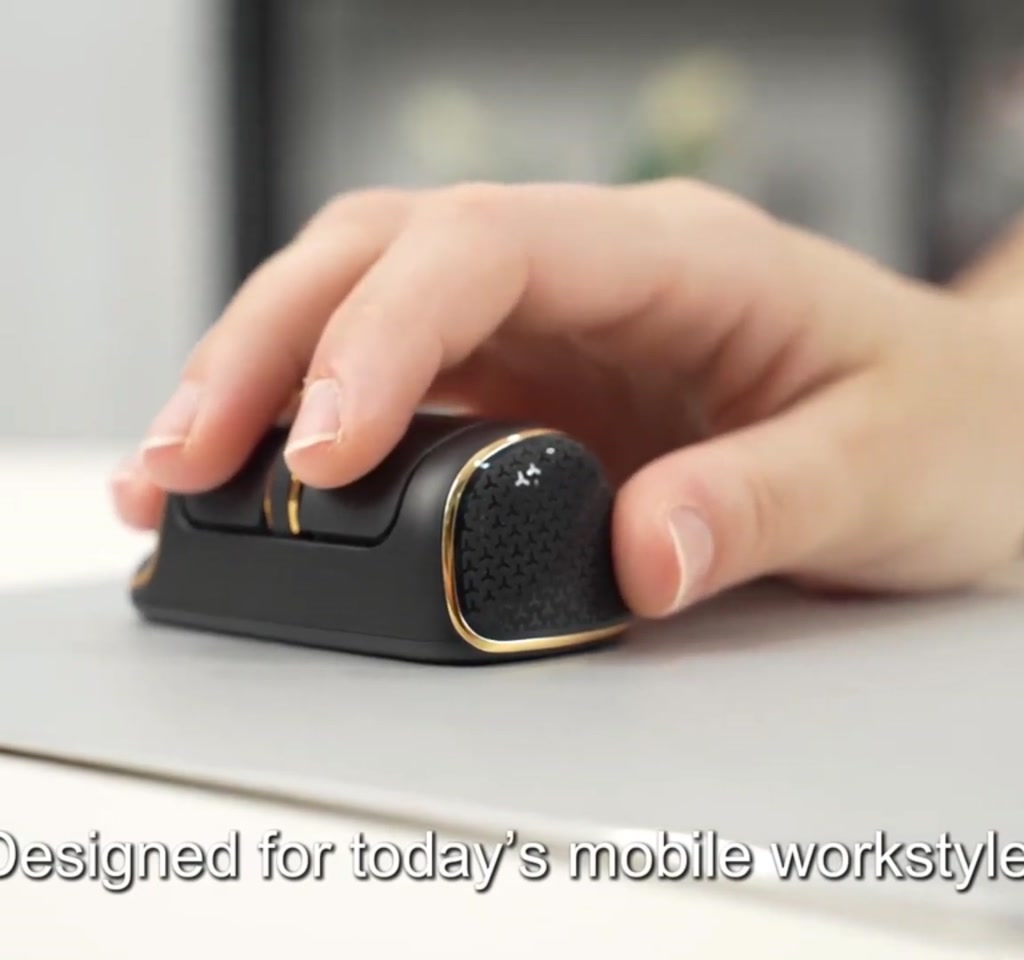
This device abandons a full palm contact area in favor of a ring finger groove and a forward balance to steady a fingertip grip. The finish is electroplated with anti slip textures to improve handling despite the tiny footprint.
Pocketability And Carry Patterns
Because it fits easily into small spaces like sleeves or pockets, the design reduces the friction of carrying a dedicated mouse. That portability argument is the central value proposition for users who move between cafes, trains, and flexible work setups.
How The Fingertip Design Works
Direct Answer: Fingertip control shifts all pointing forces to the tips of the fingers and small wrist motions, trading broad contact area for smaller, precise movements. This reduces overall bulk but increases localized load on fingers and forearm during long sessions.
Grip And Posture
The recommended posture keeps fingertips hovering and steering. Small, precise motions replace broad wrist movements, which can reduce wrist pronation compared to some flat tiny mice while removing the relaxed support of a full palm rest.
Switches And Mechanical Feel
Switches are tuned for quiet clicks under 20 decibels, which helps in shared spaces and on flights. A compact scroll wheel and on-board sensitivity controls preserve basic productivity workflows despite the compact control surface.
Benefits And Advantages Of A 35 Gram Mouse
Direct Answer: The main advantages are extreme portability, quiet operation, and cross-device pairing flexibility. For travelers and minimalist kits, a 35 gram mouse reduces carry weight and increases the likelihood you will have a reliable pointing device on hand.
Portability And Daily Carry
Small weight and dimensions make this device easy to stash and forget until needed. That convenience is the design’s strongest selling point for people who value a very small travel kit.
Quiet Operation And Perceived Quality
Quiet clicks and a premium feel from electroplated surfaces help the device feel considered rather than cheaply shrunken. These details matter in public and shared work environments.
Limitations And Concerns
Direct Answer: Expect ergonomic tradeoffs and precision limits. The fingertip posture increases finger and forearm load on long sessions, and the DPI range cited in campaign materials may be limiting on very high resolution displays. Crowdfunded timelines and final builds can also change.
Ergonomic Tradeoffs And Session Length
Users report comfort for short bursts and daily mobility use. However, sustained eight hour sessions will magnify fingertip fatigue compared to full size ergonomic mice that distribute force over a palm.
Precision And Display Scale
Campaign materials place adjustable DPI roughly between 1,200 and 3,200. That covers typical productivity tasks, but on 4K or ultrawide displays users may need to raise pointer speed or add software smoothing to maintain comfortable navigation rates.
Durability And Crowdfunding Risk
Early backer pricing appears competitive near 69 dollars and the campaign estimated shipping around March. As with any crowdfunded hardware, expect potential timeline slips and changes to final build choices between prototype and production.
Connectivity, Battery And Performance
Direct Answer: The device supports both Bluetooth and a 2.4 GHz USB receiver for low latency links, and the creators claim roughly up to 40 hours of use after a one hour USB Type-C fast charge, with smart sleep and auto power off helping extend runtime.
Bluetooth Vs 2.4 GHz Wireless
Dual mode pairing makes switching between phones, tablets, and laptops straightforward. The 2.4 GHz receiver provides a dedicated low latency connection when you need stability or when a host lacks Bluetooth pairing options.
Battery Life And Charging
Campaign claims cite up to 40 hours from a one hour charge using USB Type-C. Real world runtime will vary with active Bluetooth traffic, click frequency, and any enabled LED indicators or other active features.
The NanoFlow i2 Air switches between Bluetooth and 2.4 GHz wireless, so it can pair with phones, tablets, laptops, and machines without Bluetooth. That flexibility is valuable for people who use multiple host types during a day.
NanoFlow i2 Air Vs Traditional Ergonomic Mice
Direct Answer: Choose the pocket mouse for mobility, quiet clicks, and minimal carry weight. Choose a traditional ergonomic or larger horizontal mouse for long sessions, sustained comfort, and maximum precision on high resolution displays.
When To Choose A Pocket Mouse
Pick a pocket mouse if you prioritize travel, need cross-device pairing, or carry a minimalist kit. It is best as a secondary or on-the-go device rather than as a daily replacement for long desktop work.
When To Choose A Full Size Ergonomic Mouse
Choose a larger ergonomic mouse if you regularly work uninterrupted for many hours, require broad palm support to prevent fatigue, or depend on sub millimeter precision for design and gaming tasks.
Who This Is For And Who This Is Not For
Who This Is For: Travelers, hybrid workers, and minimalists who need a pocketable, quiet pointing device for short to medium sessions. It is practical for people who switch between phones, tablets, and laptops.
Who This Is Not For: Power users, designers, and gamers who spend long, continuous hours at a desk and depend on palm support or the highest precision. Also cautious backers who prefer retail availability over crowdfunding risk.
Editorial Take And Buying Judgment
From an editorial standpoint, this is a smart niche product that makes portability a deliberate design choice. Treat it as a second mouse if your days include long focused work sessions; back it or buy it if mobility and quiet operation are primary requirements.
In short, the NanoFlow i2 Air argues that shrinking a mouse can be an act of design, not just a trimming exercise, but the human cost shows up in sustained comfort and precision.
FAQ
What Is A Fingertip Portable Mouse?
A fingertip portable mouse is a small horizontal mouse intended to be manipulated mainly with the tips of the fingers rather than the palm, optimizing for size and carryability at the expense of broad palm support.
How Does A Pocket Mouse Connect To Devices?
These mice typically offer Bluetooth and a 2.4 GHz USB receiver, allowing pairing with phones, tablets, laptops, and machines that lack Bluetooth support for a dedicated low latency link.
What Is The Battery Life And Charging Method?
Campaign materials claim up to 40 hours of use from a one hour USB Type-C fast charge, with sleep modes and auto power off extending runtime; real world results will vary with use patterns.
Is A Fingertip Mouse Comfortable For All Day Use?
No. Fingertip mice can be accurate for short tasks but may increase localized finger and forearm fatigue during long, uninterrupted work sessions compared to full palm ergonomic mice.
What DPI Range Does This Class Of Mouse Offer?
Materials for this device indicate adjustable DPI roughly in the 1,200 to 3,200 range, suitable for many productivity tasks but potentially limiting on very high resolution displays.
Are Crowdfunded Mice Risky To Back?
Crowdfunded hardware can carry risks such as timeline slips and changes between prototype and production. Backers should expect possible delays and adjustments to final build choices.
Can This Mouse Replace A Full Size Ergonomic Mouse?
For most people it functions better as a secondary, travel, or backup device. It is not a like-for-like replacement for users who need palm support and sustained comfort for full workdays.
Where Can I Read More Hands On Coverage?
Look for related coverage and comparisons on technology review sites and Bit Rebels hands on impressions of portable peripherals for deeper context on how pocket mice fit mobile workflows.
COMMENTS