


The bold claim at the top of the original demo was simple and provocative: you can replace iCloud, Dropbox, Google Drive, Netflix, Spotify and a handful of other subscription services by running your own cloud.
The real significance here is not that every subscription vanishes overnight. The important reveal is that consumer-friendly hardware and a polished operating system now lower the technical bar so that non-experts can host core services, keep data under their control, and still enjoy the convenience of mobile access.
What actually determines whether this matters is less the device and more the choices you make about storage, redundancy, and remote access. The Umbrel Pro is useful because it pulls those choices into a simple package, but the value hinges on a few practical tradeoffs such as drive cost, backup discipline, and your home network.
From an editorial standpoint, this is best understood as augmentation rather than replacement. Self-hosting gives control, but it also shifts responsibility. That shift is manageable, and often worth it, once you accept the conditions that define the setup.
Why Build Your Own Cloud Now
The landscape for personal cloud has changed quickly: purpose-built mini NAS appliances now combine friendly interfaces, curated apps, and straightforward setup paths. That means the barrier to entry has fallen from an all weekend project to something many people can configure in an hour or two.
Beyond convenience, the motivation is practical. Controlling your own data addresses privacy concerns and subscription fatigue while preserving everyday conveniences like automatic photo backup and media streaming. What remains is a tradeoff between the effort you accept and the control you gain.
What Umbrel Pro Is And How It Fits
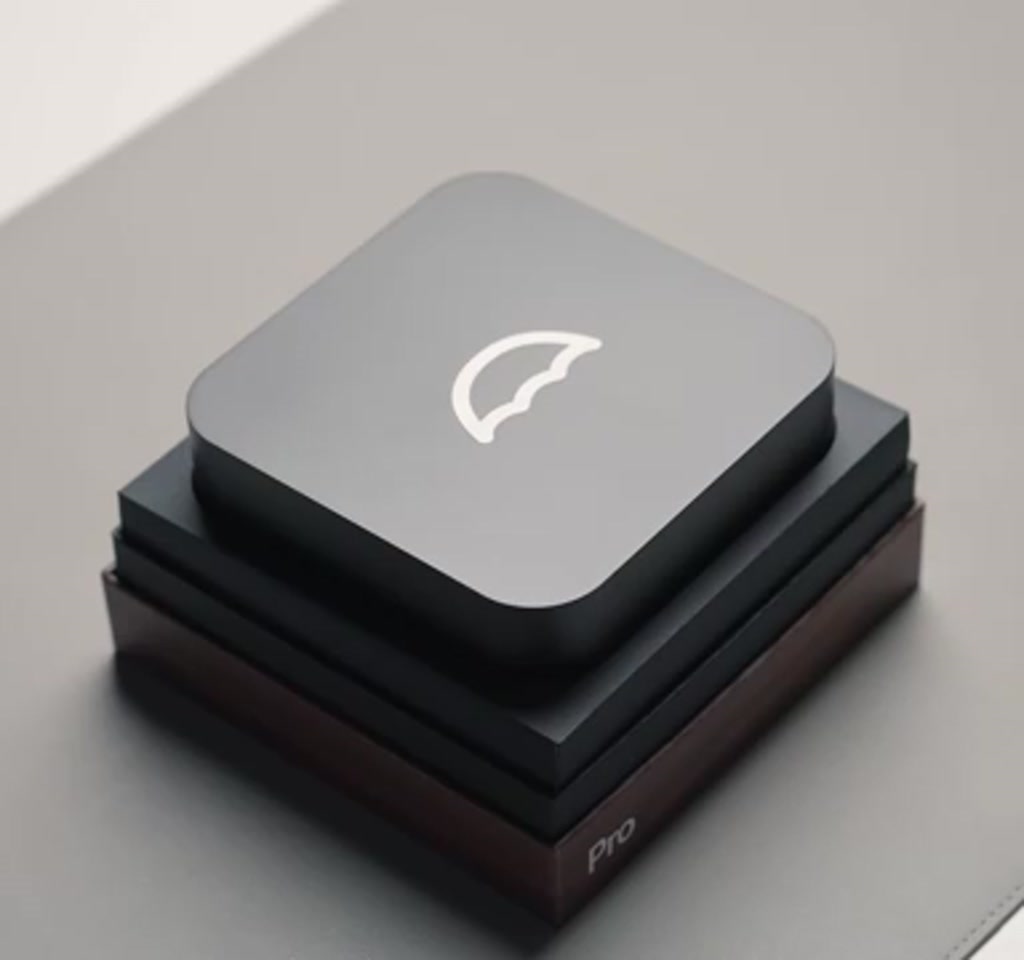
Umbrel Pro is a compact, app-centric NAS designed to sit in a living room or home office, not a server rack. It pairs tool-less NVMe slots with an app store-style operating system, Umbrel OS, to make services like file sync, photo backup and home automation accessible without deep sysadmin work.
Umbrel OS Explained
Umbrel OS provides a curated app ecosystem so users can install services without resolving dependencies by hand. That app store model converts a small appliance into a platform where apps like Nextcloud, Image and Home Assistant become features rather than projects.
Key Hardware Traits
The box emphasizes quiet operation by relying on NVMe SSDs, and it exposes modern ports such as USB-C, HDMI, and 2.5 gigabit Ethernet for better local throughput. Tool-less drive slots make upgrades and replacements less intimidating than traditional NAS trays.
What You Can Replace With Apps
Umbrel OS turns a small appliance into a platform. The app ecosystem is the reason these devices can stand in for multiple subscriptions. The typical lineup includes:
- Image for photo and video backup, similar to iCloud.
- Nextcloud for file syncing and Drive Dropbox-style storage.
- Home Assistant for unified smart home automation.
- Plex or Jellyfin for managing legally owned media libraries.
- Tailscale to secure remote access without exposing ports to the public internet.
Photos And iCloud Alternatives
Image can mirror or selectively backup iPhone albums over the local network. Many users will prefer a hybrid approach: local storage for ownership and fast LAN access, plus an external cloud subscription for offsite insurance and constant remote access when away from home.
Home Automation And Cross Vendor Control
Home Assistant is the border where storage becomes orchestration. It lets devices from different vendors work together, and that cross-vendor automation is often the moment personal cloud moves from convenience into practical daily value.
How It Works In Practice
At its simplest, Umbrel Pro is a home server that runs containerized apps you install from Umbrel OS. Once drives are installed and the device is connected to your router, apps provide services to devices on your local network and, with secure tunneling, to devices outside your home.
For remote access, many users rely on secure tunnel software rather than opening ports directly. That reduces exposure while preserving the ability to access files and services from mobile devices.
Constraints And Tradeoffs
Self-hosting shifts responsibility. Two constraints shape whether a personal cloud is the right move: storage cost and backup complexity. Both affect the total cost of ownership and the practical resilience of your data.
First, storage cost. High-capacity NVMe SSDs are still relatively expensive; the demonstration noted that a 4-terabyte NVMe can cost in the three to four-hundred-dollar range. Many setups blend smaller SSDs for speed with larger spinning drives for cost-effective capacity.
Second, backup complexity. Owning your cloud does not remove the need for multiple copies. A sensible pattern is to operate at least two devices or include an offsite copy so that hardware failure, theft or disaster does not mean data loss.
Performance, Noise And Practical Setup
The Umbrel Pro is engineered to be unobtrusive. NVMe-based storage keeps mechanical noise low and a small fan can remain idle during light use. Power draw is modest compared to full servers, typically single-digit to low tens of watts depending on load.
Setup splits into hardware and service layers: install drives and connect the unit, then choose which Umbrel OS apps to enable and how to configure secure remote access. Avoid exposing raw ports; use tunneling or VPNs and enable strong passwords and two-factor authentication where possible.
When A Prosumer Option Makes Sense
Not every household will stop at a compact NAS. For creators with multi-terabyte video workflows, higher-end boxes with Thunderbolt and 10-gigabit Ethernet justify the cost because they sustain heavy throughput. For most photo backup, automation and streaming needs, the Umbrel Pro is often the practical sweet spot.
Umbrel Pro Vs Alternatives
Comparing Umbrel Pro to alternatives clarifies decision factors: price per terabyte, connectivity, noise profile, and software ecosystem. A higher-end prosumer box trades quiet small form factor for sustained bandwidth and expandability, while managed cloud services trade control for simplicity and predictable uptime.
Compact NAS Vs Prosumer NAS
Compact NAS devices prioritize low noise, ease of use and a consumer-friendly footprint. Prosumer NAS units add connectivity such as 10 gigabit Ethernet and Thunderbolt, and they scale better for heavy video editing workflows at higher cost and footprint.
Self Hosted Vs Managed Cloud
Self-hosting gives control and potential long-term savings but requires backup discipline and occasional maintenance. Managed cloud removes that maintenance but costs recur and hands control to a third party. The right choice depends on whether you value control more than convenience.
How To Approach A First-Time Setup
Start small and expand. Install a single SSD to validate the workflow, connect via Ethernet, use the local web setup to initialize Umbrel OS, then add one or two apps like Image and Home Assistant. Add redundancy as your needs and budget permit.
Security matters from day one. Do not expose raw ports to the internet. Instead use secure tunnels or a VPN and enable two-factor authentication for accounts wherever possible.
Where This Fits In The Bigger Picture
Personal cloud boxes do not end the era of subscriptions, but they change what households pay for. Up-front hardware and storage replace recurring fees for some services, and the tradeoff is ongoing responsibility for backups and updates.
The broader implication is cultural: when more people can host their own services, conversations about data portability and interoperability become mainstream rather than niche. Whether component prices and software polish follow remains uncertain.
Who This Is For And Who This Is Not For
Who This Is For: Households that value data control, want local photo backups and cross-vendor home automation, and are willing to learn basic setup and backup discipline. It also suits creators who prioritize quiet operation and local access for moderate sized media libraries.
Who This Is Not For: Users who prefer zero maintenance, do not want any responsibility for backups, or rely on very high concurrency remote access and streaming where a managed cloud or higher-end prosumer infrastructure is more practical.
FAQ
What Is Umbrel Pro?
Umbrel Pro is a compact, consumer-oriented NAS that runs Umbrel OS and presents an app-based experience for self-hosting file sync, photo backup, media servers and home automation without deep technical setup.
How Does Umbrel OS Work?
Umbrel OS provides a curated app ecosystem and a local web interface so users can install and manage services without manual dependency management. Apps run in isolated containers for simplicity and modularity.
Can Umbrel Pro Replace iCloud Or Dropbox?
Umbrel Pro can replicate many functions of iCloud or Dropbox for local sync and backup. Many users adopt a hybrid strategy, keeping local ownership and using an external cloud for offsite redundancy and universal remote access.
How Much Do Drives And Storage Cost?
Drive costs vary over time. The demo noted that a 4-terabyte NVMe SSD can cost in the three to four hundred dollar range, which is why many setups mix NVMe for speed and spinning drives for bulk capacity to reduce price per terabyte.
How Do I Backup Umbrel Pro Offsite?
Common approaches include backing up to a second NAS elsewhere in the home, using a cloud provider for offsite copies, or scheduling encrypted backups to an external service. The three two one rule is a useful guide: three copies, two media types, one offsite.
Is Umbrel Pro Good For Media Streaming?
Umbrel Pro supports media server apps like Plex and Jellyfin for streaming locally. LAN streaming benefits from 2.5 gigabit Ethernet, but remote streaming is limited by your home upload speed and the transcoding capacity of the installed apps and drives.
Can I Run Home Assistant On Umbrel Pro?
Yes. Home Assistant is part of the typical app lineup and lets you orchestrate devices from different vendors, enabling automations that combine lights, sensors and media across the home.
Does Umbrel Pro Require Ongoing Maintenance?
Some maintenance is required: software updates, occasional drive monitoring and adherence to backup routines. The platform reduces complexity, but owning your cloud means a commitment to basic operational habits.
The promise is clear: with attention to cost, redundancy and network limits, many households can adopt a personal cloud that returns control without giving up convenience. The practical question that remains is how quickly hardware prices and software ecosystems will make that option obvious for everyone.
COMMENTS