


You raise a camera and click a shot, release the shutter button to capture the perfect picture – the stunning sunrise, your child’s first steps, or an unrepeatable wedding moment. But then, after uploading the pictures to your laptop, your horror starts: “Card cannot be read,” or “No images found.”
Anxiety. Denial. Desperation.
SD card failures are among the most common, and, at the same time, one of the most depressing reasons of losing your pictures – especially for professional or hobby photographers.
However, there is something that almost everyone doesn’t know about SD card failures – they rarely mean data lost forever. Understanding how SD cards work and what happens inside the card during the failure process could help you learn how to recover your files and data.

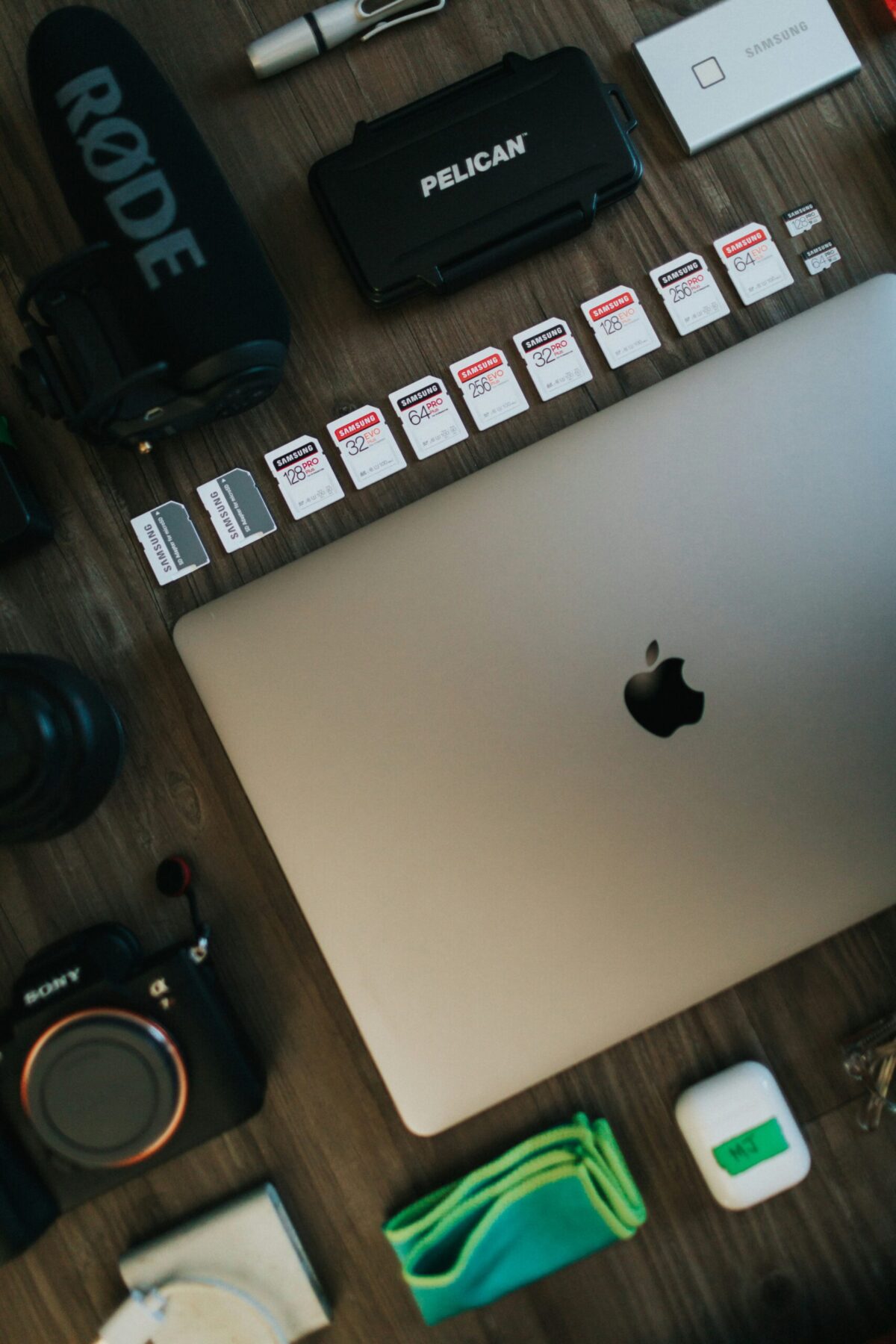
IMAGE: UNSPLASH
How SD Cards Store Your Photos
Before getting into failure causes and solutions, let us first explain the basics of SD card memory. In short, SD cards are based on NAND flash memory technology that utilizes billions of microscopic transistors cells storing electronic charges that encode bits and bytes.
There are two things that differentiate this method from traditional hard drives – there are no rotating mechanical parts in SD cards, meaning they are extremely durable and resistant to physical shock. On the flip side, this means that flash memory cards experience deterioration from frequent usage and file deletions.
As a result, over time, SD cards can break without any visible signs of physical damage and become completely unresponsive.
6 Reasons Your Camera SD Card Might Be Broken
SD card failures are never caused by a single factor. There are many reasons that could affect the SD card and cause your photos to be inaccessible or corrupted. Here are six of the most common reasons SD cards fail, according to Stellar – a company that provides top-quality recovery software and data solutions.
Physical Damage
Because of their size, these devices can be easily damaged from falling, bending, exposure to water, or extremely hot or cold temperatures. Cracking the casing of the card can break the controller chip of NAND cells. Also, if there is some sand or dust accumulated on the contact gold pins of the SD card, you might encounter read/write issues. Overall, physical damage is likely if your card was through the washing machine or was sitting in your car for hours.
Improper Ejection
Taking out a card that is writing or reading some data is one of the most dangerous actions for SD cards because it can corrupt the file system of the card. The indicator light is not always an accurate sign of when you can remove the device since the background processes might continue even after turning off the camera.
File System Corruption
If the SD card uses the FAT32 or another filesystem to organize and store your photos, the failure of the system because of any reason could lead to corruption of these files or make the card seem to be empty despite still containing photos. It can be caused by virus attack, power interruption, or improper ejection from the camera.
Exceeding Write Cycles
Since the amount of writes to the card is finite, after reaching the number limit set by the manufacturer of your device, the flash memory will stop functioning correctly and fail. Most consumer-grade SD cards allow from 3,000 to 10,000 write cycles per cell, which can easily be exceeded by photographers and videographers.
Virus/Malware Attack
Using SD cards on different computers, especially in public places and/or using infected computers or unsafe card readers could expose your photos to being hidden, encrypted, or deleted by a virus. If that’s the case, it will look like you have an empty card while in reality, your files are simply invisible and need to be found.
Accidental Deletion/Formatting
One of the most frequent mistakes among photographers is unintentionally deleting all files on your SD card or formatting the device incorrectly. This action is usually done while switching folders or accidentally pressing the ‘all’ button, and, consequently, can wipe your whole collection within seconds. Fortunately, accidentally deletion is one of the easiest cases of recovering.
Tip: Deleted Photos Are Not Lost Forever
When deleting or formatting an SD card, the OS deletes the index entry pointing to the photo’s location, however, your photo is not erased until overwritten by new information. Thus, the more photos you take, the smaller the chance of successfully restoring your deleted data.
How To Recover Your Pictures With Stellar Photo Recovery
Now, it’s time to talk about how you can get back your precious photos after an SD card has failed. For this, you need the help of a professional tool that is specifically designed for photographers – Stellar Photo Recovery.
Created for professional photographers and videographers, this SD card Recovery tool is capable of analyzing and recovering pictures from various formats, including SD cards, camera storages, CF cards, and SSDs. Unlike other recovery programs, Stellar Photo Recovery has built-in knowledge about image and video encoding techniques of cameras and other devices.
What Makes Stellar Photo Recovery Unique?
- Deep scanning technologies that scan the whole sector of data for maximum recovery capabilities even on formatted cards.
- Recovery of over 1000+ different formats including JPEG, PNG, and popular RAW formats like Canon’s CR2/CR3 or Nikon’s NEF/NRW files.
- Previewing capability, allowing you to preview recoverable photos and select which images you would like to restore.
- No risk of damaging data further with a read-only scanning technology of Stellar.
- Works on Windows, Mac OS, supports cards of any brands including DJI drones.
How To Recover Your Pictures Using Stellar Photo Recovery
To start your picture recovery with Stellar, follow these steps:
- Insert your SD card into your computer using an SD card reader.
- Download, install, and launch Stellar Photo Recovery app from their website.
- After launching the app, choose the file type to Scan.
- Select your SD card from the list.
- Choose either the regular scan mode or the deep scan mode to check for corrupt images and select the files that should be restored.
- Preview all available photos and select those you wish to restore.
The whole process is quite quick, and, with a deep scan mode activated, your 64 GB SD card will be analyzed within 30 minutes approximately. (We’ve tried it personally)
5 Tips To Avoid SD Card Fails
Of course, the best way to avoid the need for photo recovery is to try and prevent any SD card failures. Here are 5 tips you could apply to ensure maximum safety of your memory cards:
- Always eject the SD card properly, turn off your camera, and use ‘Safely Remove Hardware’ on your computer.
- Always format in-camera to avoid potential errors in data organization;
- Always keep the SD card not fully loaded to avoid overwriting problems;
- Stick to the 3-2-1 backup rule (3 copies of images, 2 different types of media, 1 additional backup somewhere else)
- Update your memory card every 2-3 years.
Every Picture Deserves A Second Chance
SD card failure is not a question of if, it’s a question of when. Whether it’s a file system crash, an accidental format, or years of wear finally catching up, every photographer will face data loss at some point in their journey.
The difference between a devastating loss and a narrow escape often comes down to one thing: acting fast and using the right tool. Stellar Photo Recovery gives you that tool, with the deep scan capability, the format support, and the preview confidence to recover what matters most before it’s overwritten for good.
COMMENTS