


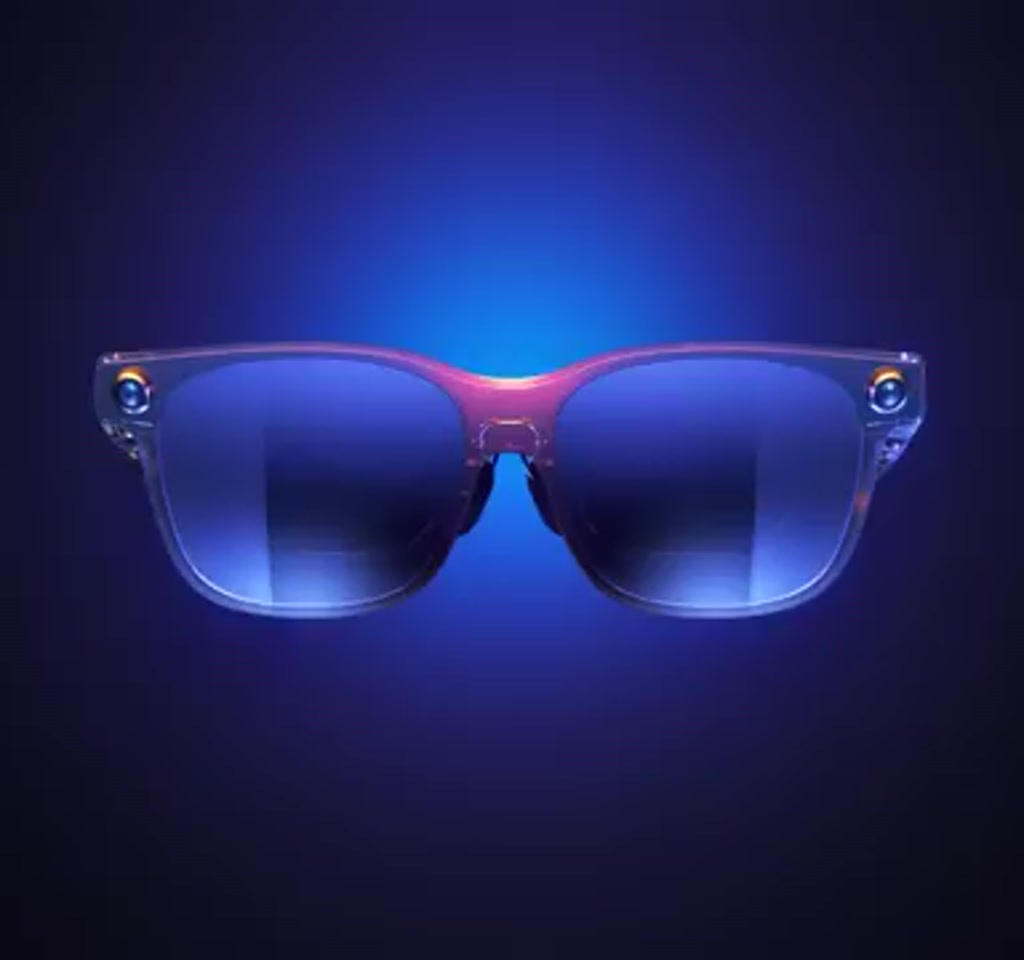
The VITURE Luma Pro XR Glasses arrive at a moment when people no longer accept fixed screens as the only way to work or watch. They promise a pocketable large screen experience by projecting 1920 by 1200 micro OLED panels, one per eye, into a wearable form factor that looks more like modern sunglasses than a lab experiment. That alone makes the product feel important right now.
The real significance here is not simply that the hardware is compact, but that the company has chosen to trade full virtual immersion for something more practical: a high-fidelity virtual display that augments ordinary life instead of replacing it. What actually determines whether the glasses matter for you is how you balance screen size, portability, and the limits of wearable optics and power.
What becomes obvious when you look closer is that the Luma Pro XR Glasses are less an attempt to sell a futuristic lifestyle and more a design exercise in focused compromise. They emphasize visual quality, refresh rate, and comfort, while avoiding the bells and whistles that push devices into niche, high-friction territory. That editorial choice shapes everything from the physical frame to the software features.
For anyone thinking about portable productivity, travel entertainment, or a private cinema on the go, the glasses present a new option. They are not a universal replacement for a laptop or a high-end VR headset, but they are a viable tool for specific workflows and contexts. Below is a closer look at how the hardware maps to real-world use, the tradeoffs built into the design, and the practical constraints that determine whether these glasses will sit in a bag or in a drawer.
Display And Optics: What You Actually See
The Luma Pro XR Glasses center on micro OLED panels delivering 1920 by 1200 pixels per eye. That pixel count in such a small optical system produces a crisp image and a level of detail that reads like a large, distant screen. The display supports up to 120 Hz refresh, which reduces motion blur and preserves smoother motion for gaming and fast-paced video.
Resolution, Refresh, And Brightness
High resolution plus a high refresh rate is an important pairing. A 120 Hz panel helps gaming and action content feel natural and responsive. Brightness is reported around 1000 nits, which is substantial for an OLED microdisplay. In practice this means the image remains viewable in moderately lit indoor settings, though optimal viewing still skews toward dimmer environments for maximum contrast and perceived depth.
Short Explanation: The core visual strengths are pixel density and motion fidelity. Micro OLED at 1920 by 1200 per eye combined with 120 Hz yields readable text and smooth video, especially in dim to moderately lit spaces. This makes the glasses suitable for single-screen tasks, movies, and fast-paced content where clarity matters.
Field Of View And Perceived Screen Size
The field of view is approximately 52 degrees. That produces a simulated virtual display that many people describe as equivalent to a screen up to around 152 inches, depending on perceived distance. The tradeoff here is visible: a 52-degree field of view is wide enough to feel immersive for single-screen tasks and movies, but it is not intended to occupy the entire peripheral vision the way many full virtual reality headsets do. By comparison, typical consumer VR headsets often range from about 90 to 110 degrees, so the Luma Pro XR sits in a different experiential class.
Comfort, Fit, And Vision Adjustment
Comfort is a recurring theme in the device narrative. The frame is lightweight with adjustable nose pads and balanced weight distribution. Those choices aim to keep pressure off the nose and ears during extended wear, turning what might be a novelty into a practical accessory.
Built-In Diopter Support
The glasses include built-in vision adjustment for users with mild nearsightedness. The optical system supports diopter adjustments typically up to about negative 4.0 diopters. That removes the need for prescription inserts for many users, simplifying setup and broadening the audience who can use the glasses without extra accessories.
What determines real-world comfort is interaction between individual facial anatomy, how tightly the frame sits, and session length. The design targets sessions measured in multiple hours rather than minutes. That said, comfort thresholds are personal and can vary; some users may find adjustments necessary after two to four hours of continuous wear, while others will extend beyond that with no issues.
Audio, Tracking, And Software Ecosystem
Integrated directional speakers deliver audio without isolating the wearer. The speakers are tuned to minimize leakage so surrounding people are less likely to notice what is playing, while still conveying a satisfying media experience. The goal is convenience and privacy combined, not replacing dedicated over-ear headphones when deep bass or absolute isolation is required.
Head Tracking And Spatial Stability
Tracking in the Luma Pro XR is implemented as three degrees of freedom head tracking enabled by onboard motion sensors. This keeps virtual displays anchored relative to the user’s head and surroundings, which is essential for spatial interfaces that feel stable. The software layer, including applications like VITURE SpaceWalker, leverages those sensors to enable multi-screen layouts and anchored windows that behave like physical displays.
Connectivity And Cross-Platform Use
Connectivity is intentionally simple. The glasses use a USB-C interface for plug-and-play with smartphones, tablets, laptops, and some gaming consoles. That universal approach makes the device versatile across platforms rather than tied to one ecosystem. It also means users can quickly switch between devices without complex pairing procedures.
Short Explanation: USB-C provides video and power in a single cable, so the glasses behave like an external display for many hosts. This simplicity increases compatibility and lowers friction when moving between devices, though it also ties runtime to the host device’s battery strategy.
Power, Portability, And Practical Constraints
The glasses draw power directly from the connected device via USB-C. The design prioritizes efficiency, but power consumption remains a defining constraint. This is one of the practical thresholds that decides where the glasses are most useful rather than a technical flaw.
On a laptop with a large battery, extended sessions are feasible for many hours. With smartphones and tablets, runtime impact is typically measured in hours rather than minutes. Expect a noticeable reduction in host device battery life during multi-hour sessions. For travel scenarios this often means planning to use an external battery pack or reserving longer sessions for devices with larger batteries.
Another quantified constraint is ambient light. At approximately 1000 nits the display is far brighter than many wearable panels, yet in direct sunlight or very bright environments the perceived contrast and black levels will still suffer. That places the most comfortable use cases in dim to moderately lit indoor spaces, airplanes, trains, and hotel rooms rather than outdoor daytime use.
Short Explanation: Power demands and ambient light are the two practical limits that shape where the glasses make sense. They favor controlled indoor settings and hosts with ample battery capacity, which affects decisions about travel packing, battery packs, and expected session length.
Where The Design Choices Matter Most
Choosing a 52-degree field of view and 1920 by 1200 resolution per eye communicates an editorial decision: prioritize image fidelity and portability, not full immersion. This determines who benefits most from the device. Frequent travelers who want a private big screen experience, remote workers who need multiple virtual windows without carrying multiple monitors, and gamers who value smooth refresh rates over full peripheral takeover are the core audience.
The glasses do not attempt to replace a dedicated workstation monitor or full virtual reality gear. That is an important distinction. They are an augmentation device that adds large-screen utility to otherwise constrained contexts. For collaborative tasks that rely on shared displays, or workflows where color-critical work is mandated, a physical monitor or higher-end reference display still has the edge.
Two Practical Tradeoffs To Keep In Mind
- Field Of View Versus Immersion: The 52-degree field of view yields a believable virtual screen that is easier to wear and less disorienting for many people. The tradeoff is reduced peripheral immersion compared to VR headsets with roughly 90 to 110 degrees.
- Power Versus Portability: Relying on host device power via USB-C simplifies the accessory model and keeps the glasses slim. The tradeoff is that smartphone or tablet battery life will be noticeably affected during long sessions, often reducing available runtime by a significant portion over several hours.
Software Behavior And Real Use Patterns
How the glasses behave depends as much on software as on optics. Applications that support multi-window layouts and anchored virtual displays transform the glasses from a single-purpose viewer to a portable multi-screen environment. SpaceWalker and similar tools let users place windows in space, resize them, and persist their positions relative to the user. That turns transient viewing sessions into reproducible workspaces.
What matters here is interoperability. If an application can treat the glasses like an external display with desktop features, productivity multiplies. If the workflow is limited to full-screen video or single app mirroring, the productivity case is weaker. The flexibility of USB-C and broad platform support helps, but actual utility depends on software support for window management and input methods.
Luma Pro XR Vs VR Headsets And Portable Monitors
Comparing the Luma Pro XR to alternatives clarifies real-world decisions: VR headsets prioritize immersion with much larger fields of view, while portable monitors offer shared viewing and color accuracy for collaborative or color-critical work. The Luma Pro XR prioritizes portability, image fidelity per eye, and low social friction over those other strengths.
Comparison Factors To Consider
- Immersion: VR headsets typically occupy more peripheral vision and enable deeper immersion.
- Color Accuracy And Shared Viewing: Physical monitors remain superior for color-critical tasks and group work.
- Portability And Discretion: Luma Pro XR wins on being lightweight, unobtrusive, and easy to carry.
How The Luma Pro XR Connects And Uses Power
USB-C serves as the single cable for video and power, so the glasses act like an external display for many hosts. This design reduces pairing friction and improves compatibility across devices, but it also makes the glasses dependent on the host device’s battery capacity and power management.
Short Explanation: The USB-C connection simplifies use and cross-platform compatibility, but it means longer viewing sessions should be planned around host battery size or an external battery pack to avoid unexpectedly short sessions.
Final Observations And The Road Ahead
The VITURE Luma Pro XR Glasses sit in a pragmatic niche: they are a high-fidelity wearable display for people who want big screens without the baggage. Their strengths are clear in the spec sheet and in the choices the design team prioritized. Micro OLED panels at 1920 by 1200 per eye, 120 Hz refresh, integrated audio, diopter adjustment up to about negative 4.0, and a 52 degree field of view form a cohesive package that favors everyday usability.
If you are mapping this device onto real life, the decisive factors will be how often you need a transportable large screen, how sensitive you are to peripheral immersion, and how much you can tolerate the battery tradeoffs with mobile hosts. These constraints are not flaws, they are the conditions that define whether the glasses are a tool or simply a novelty.
Where this becomes interesting is in the incremental changes to workflow the glasses enable. For business travelers, the ability to set up a multi-window workspace in a hotel room without hauling multiple monitors is a small revolution. For commuters, a private movie experience that does not block the world entirely is a useful alternative. The device reframes portability more than it reinvents display technology, and that is precisely why it could matter.
Expect the conversation about wearable displays to shift from technical feats to practical value. The next wave of questions will be about software ecosystems that make anchored workspaces a default, power strategies that balance host battery life and performance, and optics that continue to push resolution and field of view in ways that remain comfortable. The Luma Pro XR Glasses are an important step in that direction, and the boundaries they expose are the places industry innovation will target next.
One paragraph that stands on its own: The VITURE Luma Pro XR Glasses choose fidelity and convenience over total immersion, and that decision turns them into a portable productivity and entertainment tool defined by how users accept tradeoffs in field of view and power rather than by raw specs alone.
Who This Is For And Who This Is Not For
Who This Is For: Frequent travelers, commuters seeking a private video experience, remote workers who want multiple virtual windows without extra monitors, and gamers who prioritize refresh rate and clarity over enveloping immersion.
Who This Is Not For: People who need color critical reference displays for professional work, collaborative teams who rely on shared physical screens, and users who want full peripheral takeover like that offered by high-end VR headsets.
FAQ: Frequently Asked Questions
What Is The Display Resolution Of The Luma Pro XR Glasses?
The glasses use micro OLED panels that deliver 1920 by 1200 pixels per eye, creating a high-density image for readable text and detailed video.
How Fast Is The Refresh Rate?
The displays support up to 120 Hz refresh, which helps reduce motion blur and makes fast-moving content feel smoother.
Is The Field Of View Wide Enough For Immersive Gaming?
The field of view is approximately 52 degrees. That is immersive for single-screen tasks and movies but narrower than typical VR headsets, which often range from about 90 to 110 degrees.
Can I Use The Glasses Without Prescription Inserts?
Yes. The Luma Pro XR includes built-in diopter adjustment typically up to about negative 4.0 diopters, which covers many users with mild nearsightedness.
How Do The Glasses Connect To Devices?
They use a USB-C interface for plug-and-play with smartphones, tablets, laptops, and some gaming consoles, acting like an external display for many hosts.
Will The Glasses Drain My Phone Or Laptop Battery?
Yes, the glasses draw power from the host device via USB-C. On laptops with larger batteries extended sessions are possible, but with smartphones and tablets you should expect a noticeable reduction in runtime during multi-hour use.
Are The Glasses Suitable For Outdoor Use In Daylight?
The panels are reported around 1000 nits, which is bright for a microdisplay, but direct sunlight or very bright environments will reduce perceived contrast. They perform best in dim to moderately lit indoor settings.
Does The Software Support Multi Window Workspaces?
Software like VITURE SpaceWalker enables anchored windows and multi-screen layouts. Actual productivity gains depend on application support for window management and input methods on the host device.
Disclaimer: Some links in this article are affiliate links, meaning we may earn a commission if you make a purchase.
COMMENTS