


There is a striking mental shortcut most people make about the Steam Deck. They treat it as a single product category: the portable PC gaming handheld. What the maker of that shortcut often misses is how quickly that category can be reinvented when you stop thinking of portability only as screen size and start thinking of it as habit, battery life, and ecosystem convergence.
The important takeaway is this. It is not merely possible to play your Steam library on a pocket-friendly Android handheld; it can be a superior experience for certain kinds of play.
What actually determines whether this matters is not just raw frames per second. It is the combination of instant sleep and wake, multi-ecosystem access, small size, and the ability to slot into a retro-first workflow so your Steam indie backlog and your ROM collection feel like the same thing.
This article reveals how those pieces fit together: the apps that bridge PC stores to Android, the hardware choices that make the experience viable, and the practical tradeoffs you must accept to make a pocket Steam Deck alternative useful day to day. Most people misunderstand the point by focusing only on performance. The part that changes how this should be understood is that portability plus convenience often trump peak performance for everyday play.
The rest of this piece walks through the how and the why, breaks down the constraints that define the setup, and offers concrete configuration choices you can follow without pretending every handheld will behave the same way.
How Pocket PC Gaming Works On Android
Running PC games on Android handhelds is the product of three converging trends: better mobile SoCs, community driver work that extends compatibility, and apps that act as a bridge to PC storefronts. Those apps let you log into Steam, Epic, or GOG on the handheld, download games you already own, and launch them from an organized front end alongside your retro library.
Definition: What Pocket PC Gaming On Android Means
Pocket PC gaming on Android means using a small, handheld Android device as a client for traditional PC storefronts and games. It relies on compatibility layers, community-driven drivers, and launcher apps to make PC titles feel native to a pocket device while preserving access to the ecosystem where the games were purchased.
The Apps That Do The Heavy Lifting
Two apps get mentioned repeatedly by people doing this: Game Hub Lite and Game Native. Game Hub Lite trims unnecessary extras and adds front-end hooks. Game Native is fully open source and leans into features like Epic and GOG support, external storage options, and community-driven compatibility profiles. Both let your handheld act as a genuine client for your existing PC game library.
There are small but meaningful workflow differences. Game Native can export shortcuts for front ends and often auto-selects sensible presets for a given chipset. That reduces fiddling, which is the real-time tax when you want to just play.
Front End And Library Integration
To make a pocket device feel like a Steam Deck in practice, you want one unified launcher. EmulationStation-derived front ends such as the one often called ESDE allow you to see retro ROMs and PC games together, themed and searchable. Game Native can export front-end shortcuts directly, while Game Hub uses text-based Steam ID shortcuts. Either approach lets you click a tile and launch a Steam game just like a cartridge.
What Hardware Actually Matters
Not every Android handheld will give you a satisfying PC gaming experience. The two big hardware levers are raw processing power and driver compatibility. If you choose a well-balanced device, you get a machine that is small enough to pocket and powerful enough to run a surprising slice of PC games.
Snapdragon, Custom Drivers, And Why They Help
Community-made custom GPU drivers, often referred to as the Turnip drivers, are a crucial compatibility boost on Snapdragon-based devices.
These drivers are not a silver bullet, but they can unlock better performance and compatibility compared to stock drivers on the same chipset. If your handheld uses a different SoC family, you can still run many games, but expect compatibility tradeoffs.
What becomes obvious when you look closer is that the chipset ecosystem matters. A Snapdragon device with community-supported drivers is more likely to run a wider array of titles out of the box. That is why many builders and power users recommend Snapdragon-based handhelds as the sweet spot for this workflow.
Screen Ratio, Docking, And Pocketability
Screen ratio is an underappreciated variable. Some pocket devices use a 3.2 ratio screen and others use 4.3. The Ayaneo Ace, for example, offers a middle ground, which makes both retro 4.3 games and widescreen PC titles feel acceptable without constant letterboxing. The Ace can report up to 1620 by 1080 internally, but reducing the internal render target to 1080 by 960 is a sensible performance compromise for many titles.
Docking capability matters too. These handhelds can dock to a monitor or TV to become a couch play device. That transition makes them feel more like a truly portable PC than a niche emulator. In short, form factor and screen choice determine how you use the device more than raw megahertz.
Benefits Of Pocket Android Handhelds
Small devices that wake instantly and carry a mix of retro and PC indie games change play patterns. The main benefits are instant accessibility, smaller session friction, and the ability to treat previously disparate libraries as one. That shift favors bite-sized play and rediscovery of smaller titles.
Convenience And Instant Resume
Instant sleep and wake behavior makes short sessions rewarding. Picking up a pocket device and resuming where you left off removes the setup friction that often stops quick gameplay. For many users, that convenience outweighs peak frame rates during casual play.
Ecosystem Unification
Bringing Steam, Epic, GOG, Android, and ROMs into a single front end reduces cognitive switching costs. When everything appears in one launcher, discovering and finishing games becomes a simpler habit than managing multiple devices.
Two Concrete Constraints That Define The Experience
No setup guide is complete without acknowledging the tradeoffs. Here are two hard constraints and what they mean in practice.
Storage And Game Size
PC games are often measured in tens of gigabytes. Classic indie and retro style titles are small, but modern indie and triple-A releases can be 20 to 100 gigabytes or more. That means a 128 GB device will fill fast if you keep several games installed. Practically, expect to choose external storage in the 512 GB to 1 TB range if you want a varied on-device library without constantly shuffling installs.
Battery Life Versus Performance
Android handhelds shine for battery efficiency when used for lighter loads, and their sleep and wake behavior can make them feel instantaneous. However, heavy 3D PC gaming on a small device typically reduces runtime to a few hours rather than all day. For many players this is acceptable because the tradeoff is the ability to grab a device with instant resume and a single-hand friendly form factor.
Both of these constraints have clear numerical implications. Storage needs scale into the hundreds of gigabytes if you want a large library, and battery life for demanding titles often drops into the multi-hour range rather than all day. That is the boundary that will determine whether this workflow fits your habits.
Getting Started: A Practical Setup You Can Follow
There is a straightforward path from curiosity to playability. No proprietary secrets required, but a few configuration steps make the difference between friction and delight.
Step One: Choose The Right App
For people who prefer less tinkering and good front-end hooks, Game Hub Lite is serviceable. For those who want the richest feature set and easier Epic and GOG integration, Game Native is the go-to option. Install the chosen APK from its official source and sign into Steam using an authenticator and QR code login for speed and security.
Step Two: Balance Resolution And Performance
On devices with nonstandard aspect ratios you can lower the internal render resolution to preserve the native ratio while improving frame rates. A concrete example is setting the Ace to 1080 by 960 even though the display can accept higher internal modes. This keeps the aspect ratio tidy while reducing GPU load.
Step Three: Front End Integration And Community Profiles
Use the export or shortcut features to add Steam games to your ESDE collection. If scraping for box art fails, manually add a screenshot to the front-end media folder named to match the exported shortcut. Finally, point the front end at Game Native or Game Hub Lite so a tap on a tile launches the PC game like a cartridge.
Game Native includes a useful option called Use Known Config which lets community profiles auto-configure things such as DXVK version, GPU driver selection, and performance presets. That feature cuts the toil of tuning individual games and turns setup from a weekend project into a few minutes per title in many cases.
Which Devices Make The Most Sense
There are dozens of devices in the market but they cluster into practical categories. If you want value and a compact size, look at the new generation of retro handhelds that prioritize pocketability. If you want raw performance, higher-end devices and modern smartphones pegged into custom handheld shells show what is possible.
Common Device Choices
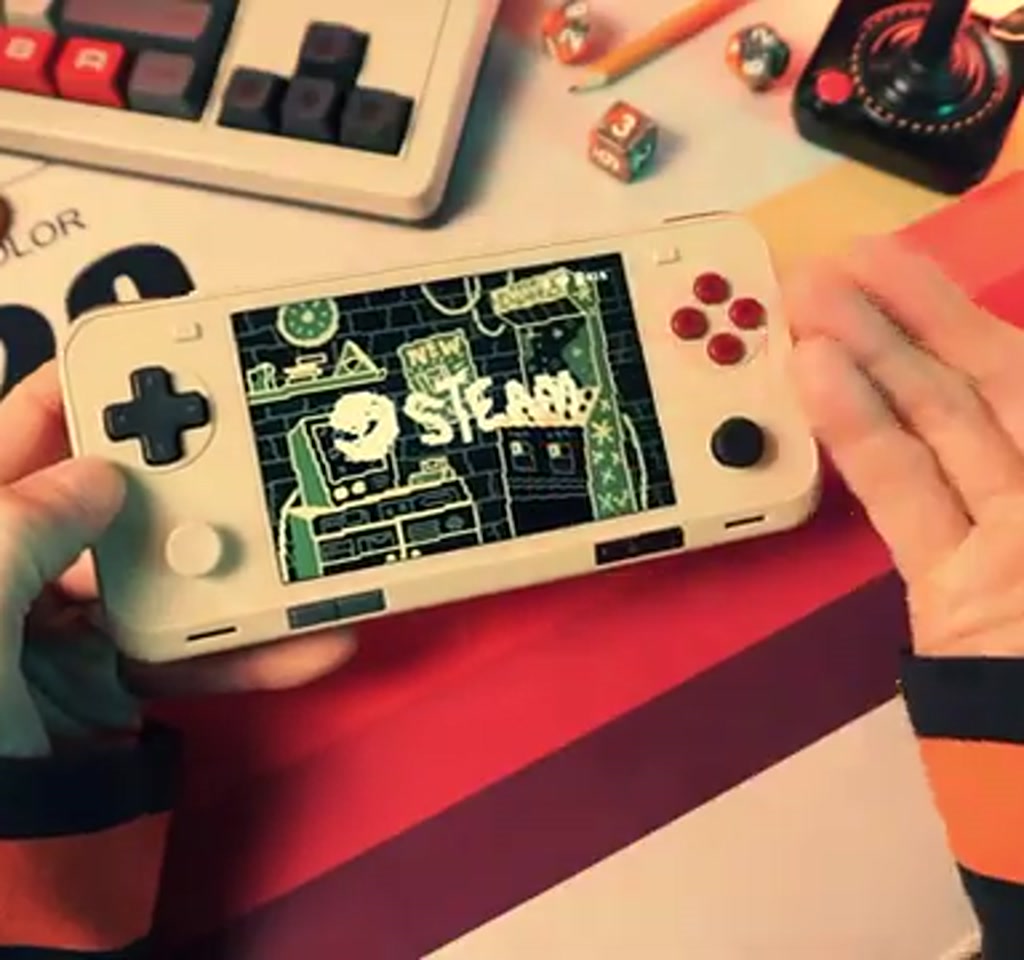
Names that come up often include the Retroid Pocket 5 and 6 for bang for buck, the Odin 3 for performance headroom, and the Ayaneo series for pocket-friendly designs that balance both worlds. Choosing among them is a question of prioritizing size, battery, and thermal headroom against sheer SoC horsepower.
Steam Deck Vs Pocket Android Handhelds
Comparing a Steam Deck and an Android pocket handheld is not binary. The Steam Deck focuses on a cohesive out-of-the-box PC gaming experience, while Android handhelds favor flexibility, extreme portability, and ecosystem breadth. Which one is better depends on whether you value convenience and pocketability more than uniform compatibility and native Steam integration.
Performance Versus Convenience
Steam Deck tends to offer more consistent compatibility and thermal headroom for sustained sessions. Pocket Android handhelds can be smaller and more convenient for quick play, but they may require community drivers and per-game tuning to reach similar results for demanding titles.
Ecosystem Access And Compatibility
Android handhelds win on multi-store access when paired with apps that support Epic and GOG. Steam Deck wins on native Steam features and a single curated driver stack. If you need cross-store access, an Android route brings broader storefront reach at the cost of extra setup.
Why This Matters Beyond Convenience
There is a quiet cultural implication to making your Steam library pocketable. It changes how games occupy attention. When play sessions are frictionless, people tend to play more emergent, bite-sized segments of long-form games and also rediscover small indies that are perfect for quick sessions. The handheld stops being a niche collector toy and becomes a daily device for backlog clearing and discovery.
What most people miss is that this is not only about portability. It is about unifying ecosystems. Treating retro ROMs, Android titles, and PC indie games as a single library reduces cognitive switching cost. That unification is where the real change is felt: your collection becomes a coherent set of things to play rather than scattered obligations across devices.
Where To Learn More And What To Watch
There are dedicated walkthroughs and creator guides that step through Game Native and Game Hub Lite in more detail. If the technical side appeals, try searching for install guides and configuration videos that demonstrate exporting front-end shortcuts and using community profiles. For hardware comparisons and hands-on impressions, bitrebels coverage of retro handheld reviews is a useful place to continue exploring how different devices prioritize size, battery, and performance.
Looking forward, the combination of community drivers, ever more capable SoCs, and better cross-platform apps means the pocketable Steam Deck alternative will get steadily better. Which titles migrate nicely to these devices will be decided by performance envelopes, driver support, and how much of an audience wants a more portable, always-ready way to play.
Keep an eye on the parts of the ecosystem that act as pressure points: driver support and storage economics. Those two variables will influence whether the pocket approach remains a convenient niche or emerges as a mainstream way to carry a PC library in your pocket.
Who This Is For And Who This Is Not For
Who This Is For: Players who prize instant access, short sessions, and multi-ecosystem access. If you want to clear an indie backlog in bite-sized chunks or carry a mixed library that includes ROMs and PC indie games, a pocket Android handheld paired with Game Native or Game Hub Lite is worth exploring.
Who This Is Not For: Players who require guaranteed compatibility for every modern triple-A title, need long uninterrupted 6+ hour marathon sessions, or who prefer an out-of-the-box, single vendor solution with standardized drivers. Those users will still prefer full-size handhelds with larger batteries and more thermal headroom.
FAQ
What Is A Pocket Android Handheld For PC Gaming?
A pocket Android handheld for PC gaming is a small portable device that uses apps and community drivers to run titles from PC storefronts like Steam, Epic, and GOG. It acts as a client for games you already own, often combined with a retro front end for unified access.
How Does Game Native Help Run PC Games On Android?
Game Native provides storefront integration, external storage hooks, community compatibility profiles, and the ability to export front-end shortcuts. It automates many compatibility choices and reduces manual tuning for individual titles.
Is Driver Support Important For Performance?
Yes. Community drivers such as the Turnip drivers can improve performance and compatibility on Snapdragon devices. Driver support changes which games run well and how much per title tuning is required.
Can I Dock A Pocket Handheld To A Monitor?
Many pocket handhelds support docking to a monitor or TV, letting the device act as a couch play machine. Docking expands use cases beyond pocket play and makes the device function more like a portable PC.
How Much Storage Do I Need For A Useful Library?
Expect to use external storage in the 512 GB to 1 TB range if you want a varied on-device PC library without constant installs. Modern indie and triple-A releases can occupy tens of gigabytes each.
Will All PC Games Run On These Devices?
Not all PC games will run. Compatibility depends on the SoC, driver support, and community profiles. Many indie and older titles run well, while some demanding modern games may require compromises or will not be practical.
Is This Approach Better Than A Steam Deck?
It depends on priorities. Steam Deck offers more consistent native compatibility and thermal headroom. Pocket Android handhelds offer greater portability, multi-store access, and flexible form factors, at the cost of more setup and per-title tuning.
Where Can I Find Configuration Guides And Profiles?
Search for dedicated walkthroughs of Game Native and Game Hub Lite, community forums that host compatibility profiles, and creator videos demonstrating export and front-end integration.
Disclaimer: Some links in this article are affiliate links, meaning we may earn a commission if you make a purchase.
COMMENTS