


The first map your robot vacuum makes matters more than most people expect. The best way to avoid first-map mistakes is to clear obstacles, open target rooms, keep pets away, then review the map before setting schedules
The first robot vacuum mapping run serves as the basis for room names, schedules, no-go zones, and all the little daily routines you may want later. If the map is wrong on day one, the robot may keep working from a bad memory of your home. That is why the best time to fix mapping mistakes is before you build habits around them.
This guide explains how to fix first-scan mistakes in the robot vacuum’s mapping.
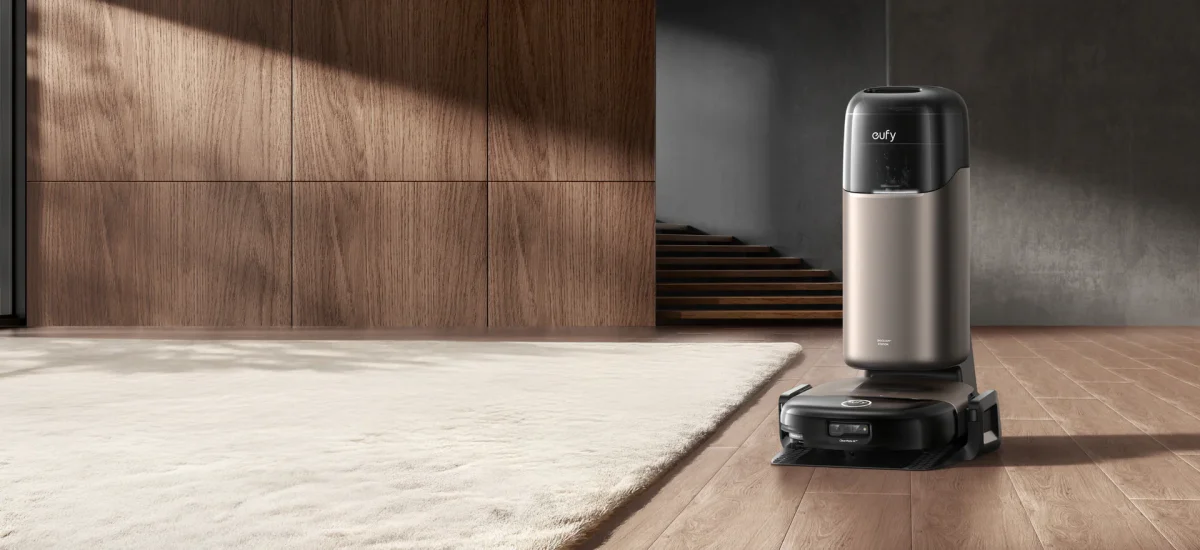
IMAGE: EUFY
A 15-Minute Prep Checklist Before Robot Vacuum First Map
Since the first mapping is important, you should make sure that the following steps are checked before starting the robot vacuum at the first time.
- Walk around the house: You should walk around your house with the view of the robot vacuum mop. This step helps you remove the items that might interfere with layout recognition.
- Start with doors: Check each room that you want the robot vacuum to clean, such as the bedroom, laundry room and bathroom. Make sure that you only close the rooms you truly want excluded.
- Look for cables: Mobile phone chargers, extension cords, desktop wires and power strips may stop the robot, slow it down and make it avoid the area that it should map. Looking for cables and putting them away can reduce first-run mistakes.
- Check the base station: The base is the robot’s starting point and return point, so it should not begin the map from a crowded corner. Therefore, remove the bags, shoes and baskets that might cause obstruction of robot movement.
- Pick up small floor clutter: Large furniture can stay where it is, which will not influence the mapping. Your sofa, bed, dining table, desk, and cabinets are part of the normal home. However, temporary clutter is what causes trouble. You should pick up those small items on the ground, such as toys and socks.
- Stop pacing room to room when the robot maps: Do not follow the robot around the whole time because walking behind it can create extra movement in the space. Once the scan started, stay out of its main path, and check on it without pacing room to room.
Mapping Mistakes Worth Checking
After the first map is created, you should check the map first instead of starting to clean immediately because some mapping mistakes may be included in the mapping at the very beginning.
The most common issue is space merging. The living room and dining room may be recognized as a single large area, while a kitchen may blend into an open-plan family room. If you need to clean each room and area separately, you will probably want to use room split editing.
Another issue is fake boundaries. Fake boundaries occur when clutter such as laundry baskets, cardboard boxes, and piles of shoes is recognized by the robot as a fixed part of the house. If the clutter is small and the map outline is normal, there is no need to rescan. However, if clutter changes the map outline or blocks a room entrance, remapping is the better choice.
A missing room is also a big concern. If the robot cannot map the room since the door is closed or skip the office because something blocks the entrance, remapping should be conducted to reduce mistakes.
Room Split Or Delete And Remap?
When the map is basically right, use the room split tools properly. If all the rooms are visible, the hallways connect properly, and the only issue is that two spaces are grouped together, manual editing is enough.
When there are missing rooms, blocked doorways, a distorted hallway and a bad base position, it means the map is wrong. Therefore, early-ended scanning and remapping are reasonable.
Some tips are as follows:
- If the robot saw the home correctly but labeled it imperfectly, edit the map.
- If the robot never saw part of the home, or saw a temporary obstacle as part of the layout, remap.
- It is much easier to remap before you have created room names, cleaning schedules, and no-go zones.
Keep Your Pets Away From The Robot While Mapping
If you have pets, you should give them one mapping session away from the robot. It is necessary to maintain the accuracy of mapping.
A curious pet may follow the robot, block a doorway, move a toy onto the path, or keep crossing in front of the sensors. It can make the first map messier than it needs to be, and even generate wrong information in the mapping. You can keep your pets in a separate room that does not need mapping to prevent them from running. After the map is created, a normal range of activity can return.
When To Remap Later?
The first map is important. However, it does not mean that the map cannot change. If the layout structure changes, remapping should be conducted. If there are no big changes, edit only what needs editing.
You need to do the remapping after moving the base station, rearranging large furniture or finding navigation problems due to map issues.
Small changes such as adding a chair and changing the position of a carpet usually do not require remapping. The key to the judgment lies in whether the layout structure of the cleaning area has changed.
Choosing A Robot Vacuum For Mapping Routines
For homes that rely on a regular plan for separate rooms, the robot’s first mapping is not just a setup that needs no changes. It is the structure behind daily cleaning. For this type of home, the eufy Robot Vacuum Omni S2 fits their requirements.
According to eufy, eufy Robot Vacuum Omni S2 pairs strong cleaning hardware with navigation-focused intelligence. It features 30,000 Pa suction, CleanMind AI with 3D MatrixEye 2.0 obstacle detection, room-based cleaning customization, and support for multi-floor maps and zones through the eufy app.
In practice, those features matter most after the first scan is done correctly. A cleaner map gives the robot better context for room splits, targeted cleaning, zone control, and avoiding places that should not be part of a scheduled run. That is why early mapping preparation still matters, even with a more advanced model like this.
The smarter the routine, the more it depends on a map that reflects the layout of your home.
Conclusion
Your first map does not have to be perfect, but it does need to show the home you actually want cleaned. Open the right doors, clear the obvious floor clutter, give the base station some room, and let the robot finish one quiet scan before you start building schedules. If the map only needs cleaner room boundaries, edit it. If it missed a room or learned the wrong layout, remap early.
It is known that eufy offers a helpful solution, as the users need to make a little preparation to complete the first map scan. For mapped cleaning, this robot vacuum is worth considering.
COMMENTS